Earn and Redeem Aveda Plus Rewards Points in Zenoti
This article explains how Aveda Plus Rewards points accrue and how guests redeem points for Aveda products at the Zenoti point of sale (POS).
Overview
After enroling or linking to Aveda Plus Rewards, guests automatically earn points on eligible Aveda products when invoices are closed. Points can be redeemed to purchase Aveda products using a custom Aveda payment method.
Key terms
Eligible Aveda product: A product flagged as This is an Aveda Product with a valid UPC
Bonus points: Promotional offers applied at purchase that award extra points
Aveda payment method: Custom payment method used automatically when redeeming points
Prerequisites
Aveda Plus Rewards integration is enabled (organization and center levels).
Products intended to accrue points are marked as Aveda and have UPCs.
Limitations
Accrual applies only to Aveda products (not services) and is calculated excluding taxes and discounts.
Accrual history from other touchpoints, i.e., Aveda online or non-Zenoti salons, is not available in Zenoti. Guests must check Get Rewarded with Aveda Reward Program | Aveda for the full history.
Partial redemptions of a single product using points are not allowed; the full product price (ex-tax/discounts) must be covered by points.
Viewing points balance
At the POS, search for the guest and hover over the Aveda icon to see the balance.
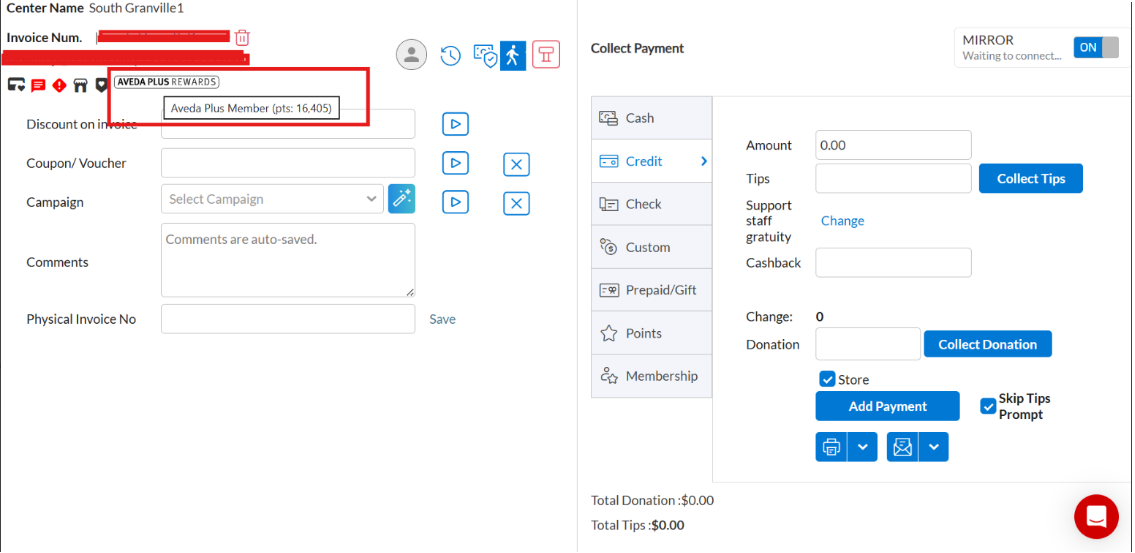
Go to Payments > Loyalty > Aveda Plus Rewards.
Accruing Aveda Plus Rewards points
Add eligible Aveda products to the invoice.
(Optional) From the Bonus Points dropdown, select up to four applicable offers.
Close the invoice. Points accrue automatically.
Note
Payment method does not affect accrual.
Redeeming Aveda Plus Rewards points
Add eligible Aveda products to the invoice.
Choose to redeem points at checkout.
The Aveda payment method is applied automatically to cover the product price using points. Complete the sale.
The guest receives an Aveda email confirmation for accruals/redemptions.
View Aveda Plus Rewards points history in the Guest Profile
Guests enrolled in Aveda Plus Rewards earn and redeem points across service visits and retail purchases. The Guest Profile in Zenoti now includes a complete transaction log of this activity. The log shows every accrual and every redemption in chronological order, giving front-desk staff a single place to see a guest's full Aveda points history without switching to an external system or logging into a separate portal.
Before you begin
The organization must have Aveda Plus Rewards enabled.
The guest must be linked as an Aveda member in their Zenoti profile.
The Aveda Plus transaction history button is visible only when both conditions are met.
Steps:
Open the guest's profile.
Navigate to the Points tab.
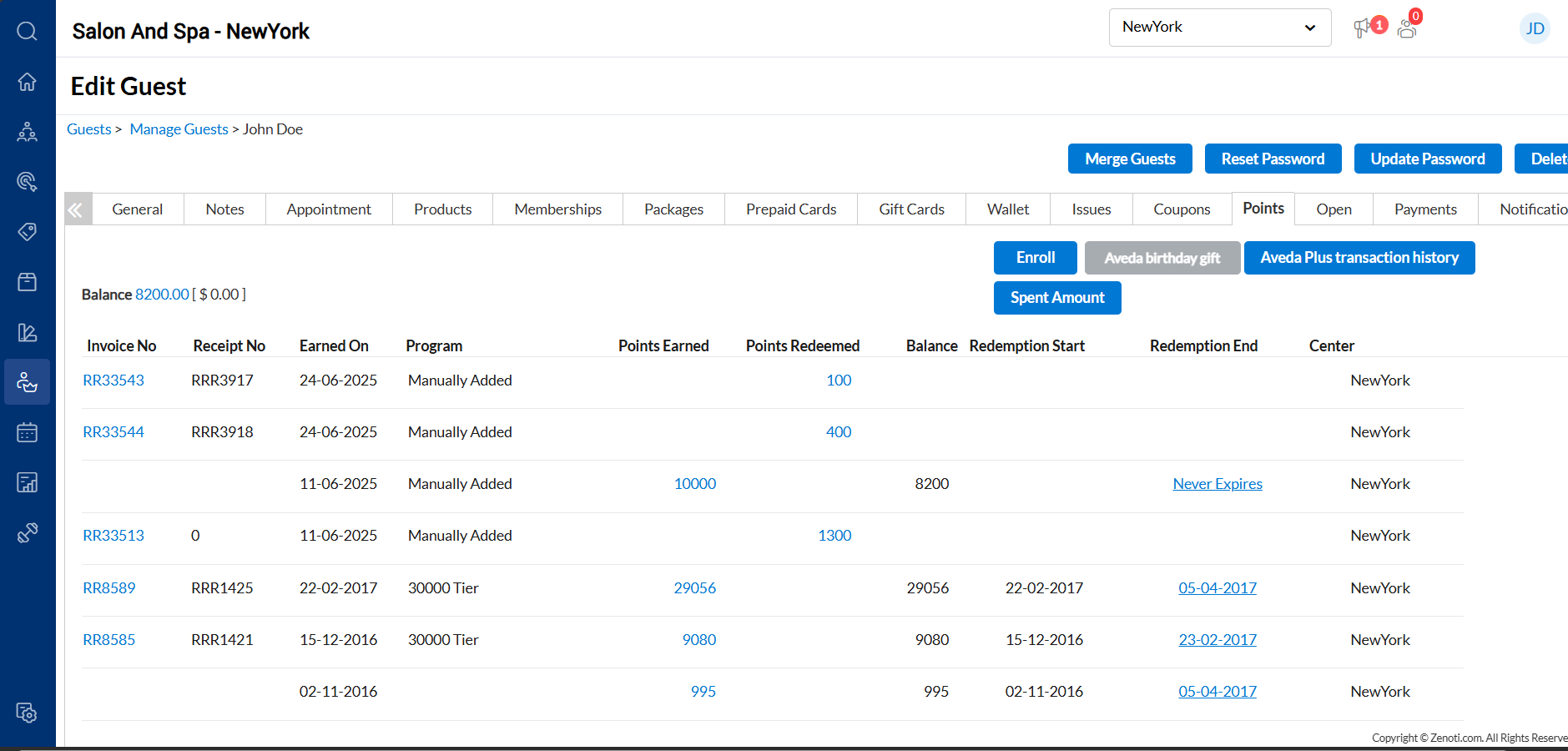
Click Aveda Plus transaction history.
Review the guest's points activity, which includes both accruals and redemptions.
Use the page controls to view older transactions. The activity history displays 20 transactions per page.
Tip
Use this feature to resolve points disputes on the spot. For example, if a guest at checkout believes they earned points from a recent Aveda product purchase that are not reflected in their balance, you can pull up the transaction history and verify whether the points were accrued, without contacting support or logging into a separate portal.