Onboard Employee for Zenoti Integrated Payroll through myZen app
This article provides step-by-step instructions for regular employees and contractors to self-onboard to Zenoti Integrated Payroll (ZIP) using the myZen mobile app.
Overview
When businesses switch to Zenoti Integrated Payroll, employee data is often migrated automatically. In such cases, employees can bypass the onboarding process and directly access Payroll Settings or Paystubs.
For new hires or employees whose data could not be migrated, completing the onboarding flow is mandatory to receive payroll through Zenoti. Tax setup forms, such as W-4 for regular employees or W-9 for contractors, vary by employment type. The remaining onboarding process is the same for all employees.
The onboarding process for Zenoti Integrated Payroll ensures:
Efficient payroll setup.
Compliance with tax and legal requirements.
Accurate configuration of payment settings.
Prerequisites
Before beginning the onboarding process, ensure that:
Your employer is enrolled with Zenoti Integrated Payroll.
You are correctly mapped to workplaces orcenters.
Your employment type (Regular or Contractor) is accurately categorized.
The myZen app is installed on your mobile device.
Self-Onboard through the myZen App
Perform the following steps to complete the onboarding process:
Log in to the myZen app.
Tap Menu at the bottom right.
Tap Payroll Details.
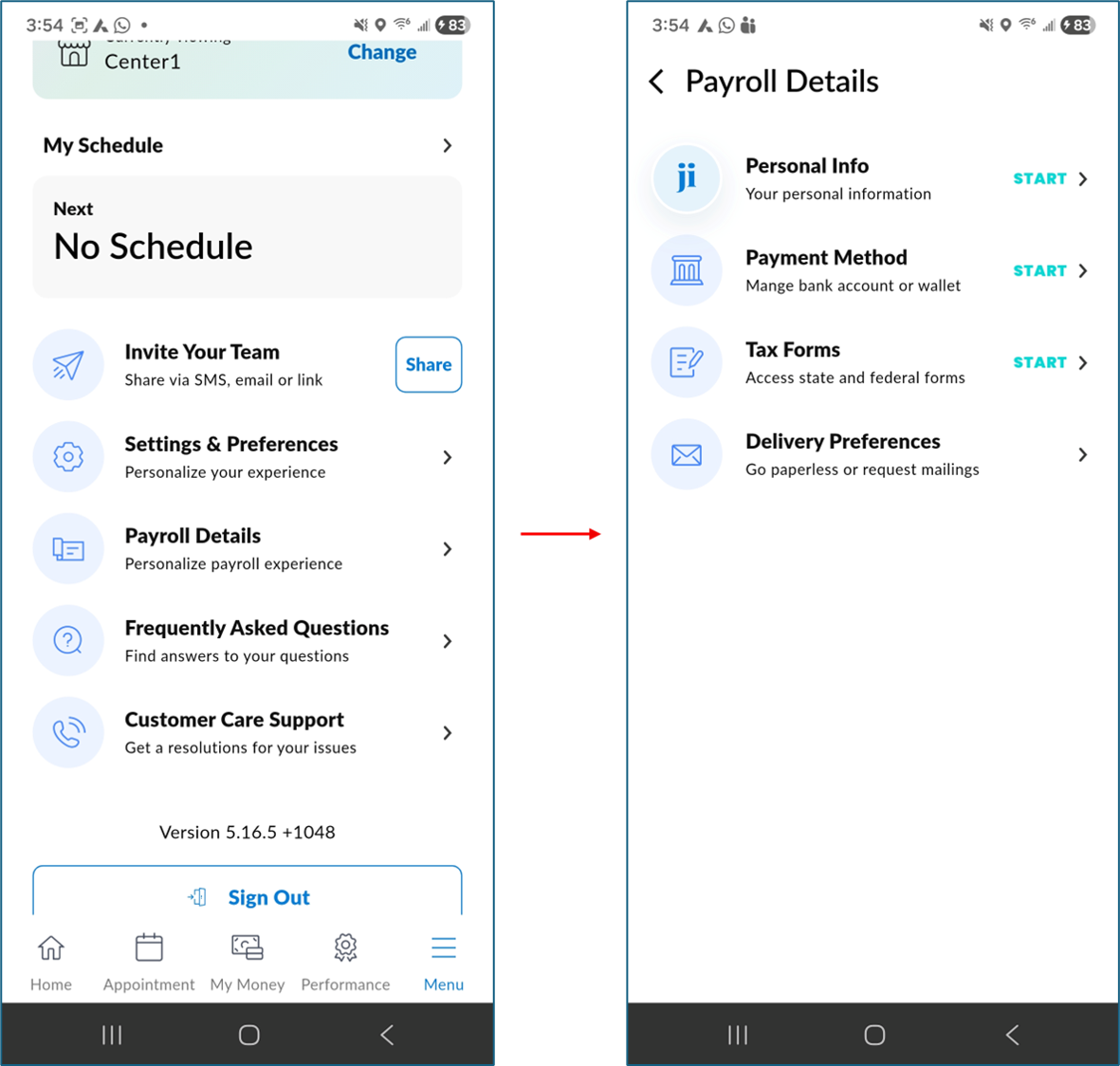
Note
If Zenoti already has your details, it automatically populates them. Verify pre-populated information or manually enter any missing details.
Confirm a migrated profile
If your business recently migrated to Zenoti Integrated Payroll from a previous payroll provider, your employee record may already exist in Zenoti. After you enter your SSN on the Personal Info screen, Zenoti checks whether a matching profile from the previous provider is available.
If no existing profile is found, your onboarding continues as usual.
If an existing profile is found, Zenoti displays a confirmation dialog with your first name, last name, and the last four digits of your SSN.
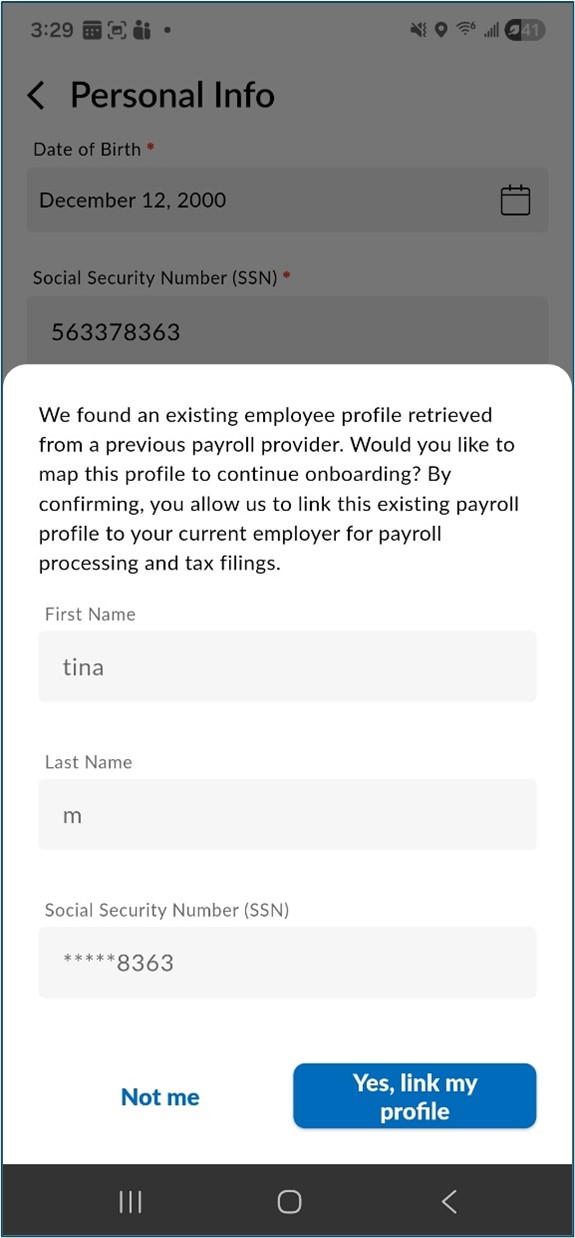
Review the details and choose one of the following options:
Yes, link my profile — Zenoti links the migrated record to your current onboarding session. Your personal details are auto-populated from the record your business imported, and you can continue with the remaining onboarding steps.
Not me — A message appears indicating that a profile with this SSN already exists. Contact payrolloperations@zenoti.com for assistance.
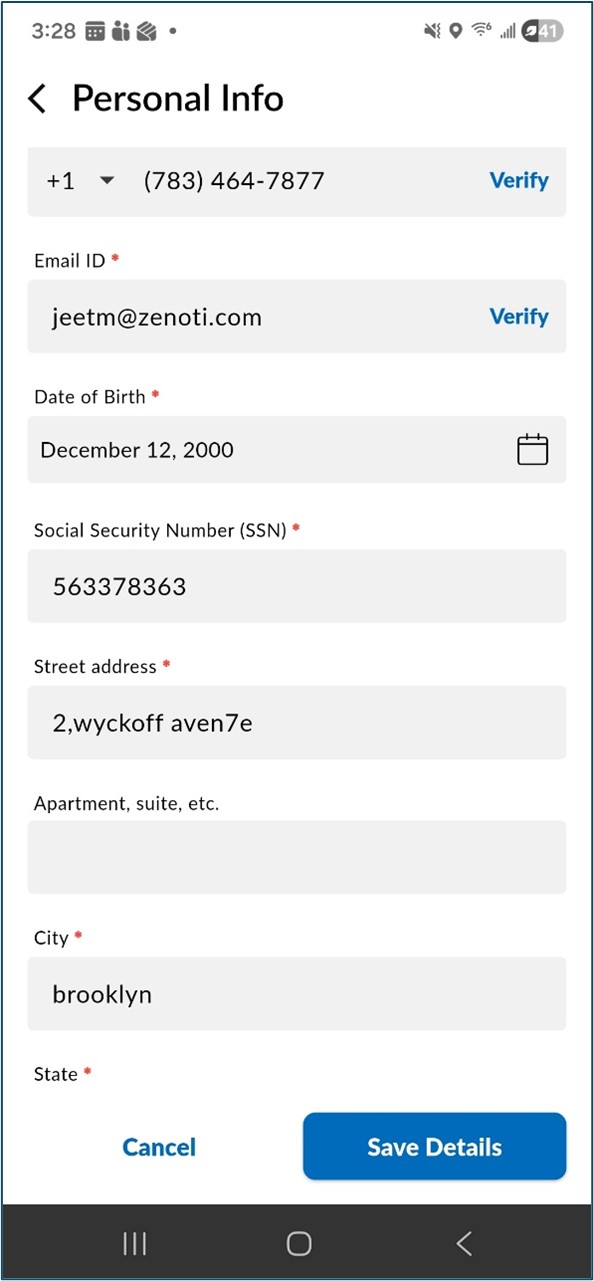
To update a field, tap the edit icon next to it. Only one field can be edited at a time. After you make your changes, tap Save Details to save and return to read-only mode.
Note
Your SSN appears in a masked format, showing only the last four digits. When you tap edit on the SSN field:
If the full SSN is available from the previous provider, the complete number is displayed for editing. After you save, the field re-masks automatically. If the updated SSN matches another existing profile, an error is displayed.
If the full SSN is not available from the previous provider, an empty field is displayed with a message asking you to re-enter your full SSN. Enter your SSN and tap Save Details.
After you review your personal details, proceed to complete the remaining onboarding steps starting with bank account setup.
Review and edit auto-populated details
After you confirm the profile match, your personal details - such as name, phone number, email, date of birth, SSN, and address - are auto-populated on the Personal Info screen in read-only mode.
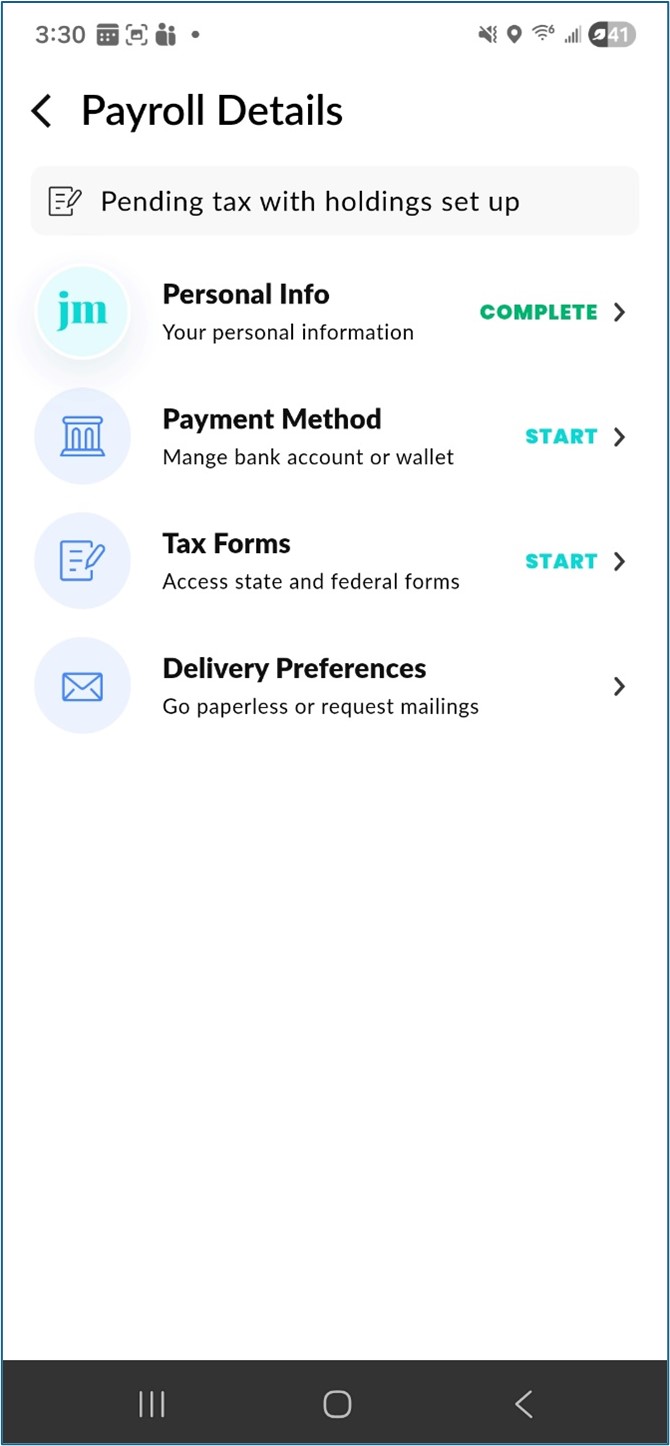
Set up Bank Account
Choose the bank account for receiving payroll deposits:
You can directly add a bank account using net banking login for instant linking or manually enter the account and routing numbers.
Please note: Chase Bank may not accept instant verification via netbanking. If this happens, scroll down and select the “Enter details manually” option, then enter your account number, routing number, and bank name yourself.
Complete Tax Withholdings
Tap Continue to proceed with the Tax withholdings section.
Regular or W2 employees will receive a prompt to update tax withholding parameters to generate a digital W-4 form.
Contractors or 1099 employees will be prompted to sign the W-9 form.
A snapshot of the payroll details is displayed.
Delivery preferences
Set W-2/1099 form delivery preference. If enabled, the user accepts online or paperless statement delivery. By default, this is set to off.
Steps to update W-4 form
Follow these steps to update W-4 form:
Go to the myZen app, navigate to Menu > Payroll Details.
Proceed to Withholdings tab.
Click on existing W-4 form and scroll down till the end to find the option – Regenerate Form and Sign.
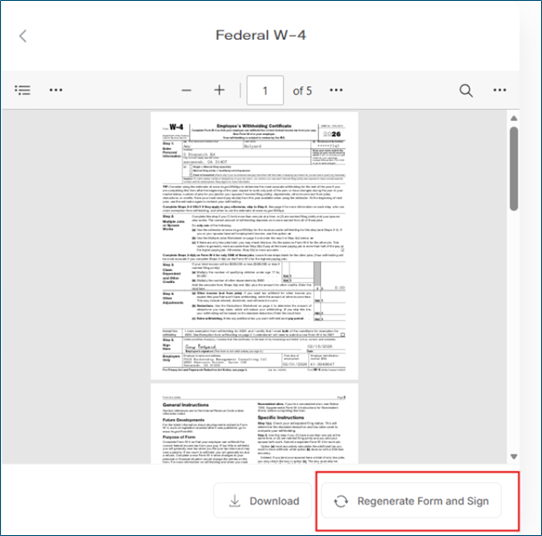
When the Regenerate Form button is clicked, the tax withholding parameters will be prompted again, allowing the employee to update them as needed to generate the revised W-4 form.
Steps to update Contractor EIN details
By default, the contractor is considered as Individual Contractor and SSN added in personal details is saved as ITIN. If payroll to be processed against Contractor Business (LLC or entity with EIN), please follow below steps to update the same.
Follow these steps to update Contractor EIN details:
Go to the myZen app, navigate to Menu > Payroll Details.
Proceed to Withholdings tab.
Select Provide Identification Number and change from Individual to Business.
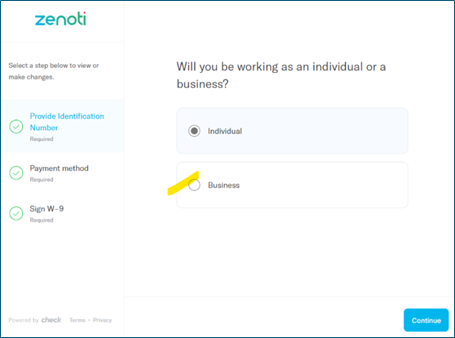
On selecting Business, user will be prompted to add their Legal Business Name and EIN details.
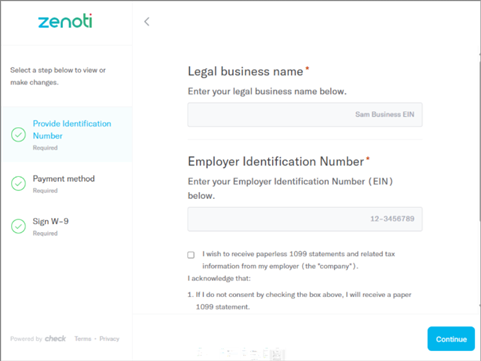
Upon saving, users can review their existing bank account details without needing to update them again.
To obtain an updated W-9 form with business and EIN details, users can click on Regenerate Form as shown below.
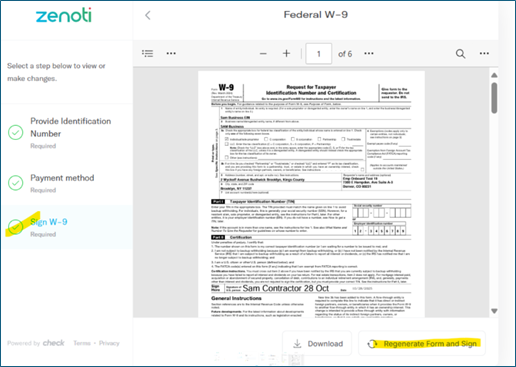
Key terms
Term | Description |
Direct deposit bank account | The bank account where payroll funds are deposited directly. |
W-4 form | A tax form that regular employees complete to determine their federal tax withholding. |
W-9 form | An IRS form contractors complete to confirm their tax payer identification. |
W-2/1099 delivery preference | Option to receive tax documents electronically or by mail. |
Migrated profile | An employee record that your business imported into Zenoti from a previous payroll provider during payroll migration. |
Profile mapping | The action of confirming and linking your onboarding session to an existing migrated profile so that your payroll history and tax data carry over. |