Getting started with Webstore V2
This article explains how to set up and get started with Zenoti Webstore V2. You will learn the configuration steps, customization options, and what your guests can do after the Webstore is live.
Overview of Zenoti Webstore
Zenoti Webstore V2 is a customizable digital storefront that allows your guests to schedule appointments, select providers of their choice, purchase memberships, gift cards, and packages, and even purchase products online. The Webstore is a convenient interface that offers your guests a chance to keep track of your new services and products.
Once configured, it enables guests to interact with your business online, booking services, purchasing packages, and engaging with loyalty programs, across both desktop and mobile devices.
Note
To enable retail sales, you must integrate Shopify with Zenoti.
As a Zenoti account Owner, you can set up and customize Webstore V2 to match your business's branding requirements. The Webstore helps showcase your marketing strategies and can go a long way in increasing revenues.
Key Terms:
Webstore V2: Zenoti’s second-generation online booking and storefront platform.
Shopify Integration: Connects your retail catalog to Webstore for product sales.
Center-Level Configuration: Custom settings that apply to individual locations.
Guest Profile: The user-facing section where guests manage bookings, purchases, and preferences.
Overview of Zenoti Webstore V2
Zenoti Webstore V2 allows your guests to schedule appointments, specify providers of their choice, and even purchase products online. The Webstore is a convenient interface that offers your guests a chance to keep track of your new services and products.
Note
To sell products on the Webstore V2, you must integrate Shopify with Zenoti.
As a user with the Owner role, you can set up and customize Webstore V2 to suit your businesses’ branding requirements. The Webstore helps showcase your marketing strategies and can go a long way in increasing revenues.
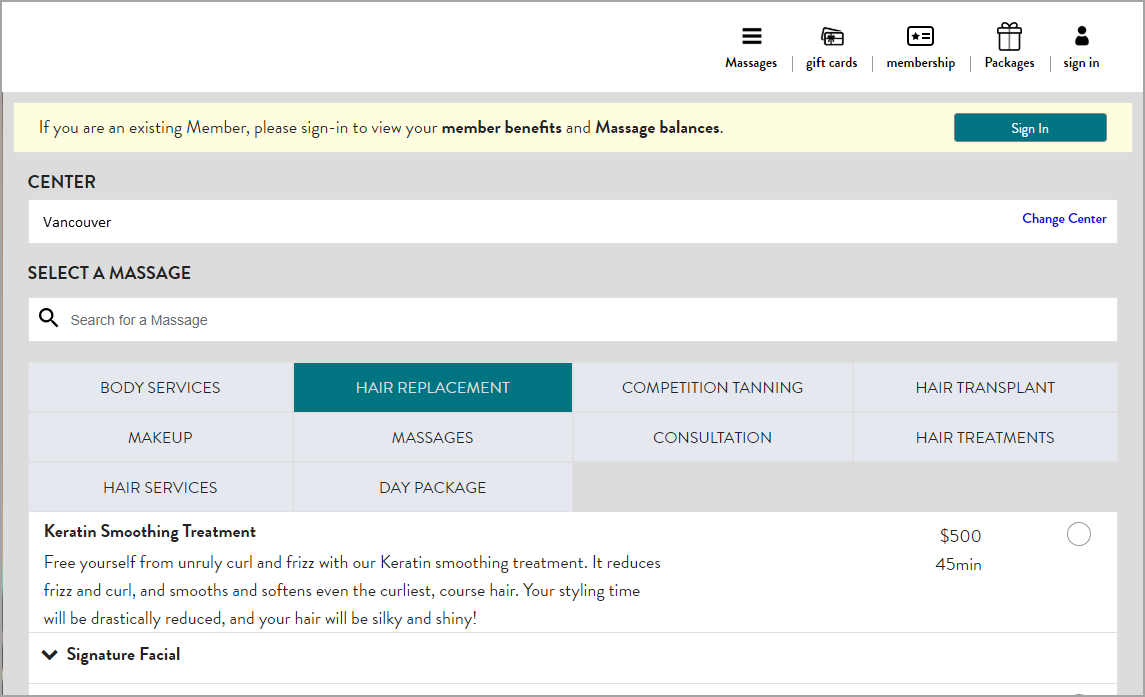
A sample image of Webstore V2
Set up the Webstore V2
After you configure the above settings, you can:
After you complete the setup of Webstore V2, your guests can use it to: