Configure opportunity types
A opportunitytype is a category you use to organize and manage potential customer inquiries or business opportunities. They are used in automation rules, opportunity creation, and reports. By categorizing leads into meaningful types, you can efficiently route, prioritize, and follow up on different kinds of requests or interests shown by potential clients.
For example, you may create opportunity types such as Consultation request, Membership inquiry, Package inquiry, Group booking inquiry, Service complaint, or Gift card purchase.
At the organizational level, navigate to Opportunity (Lead) Management > AI Lead Manager.
Click the navigation panel icon to expand Opportunity Management menu.
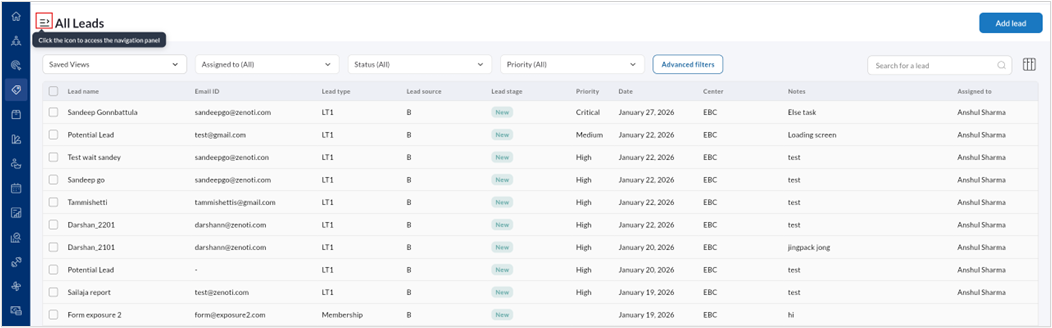
Select Opportunity(Lead)settings.
Select Opportunity types.
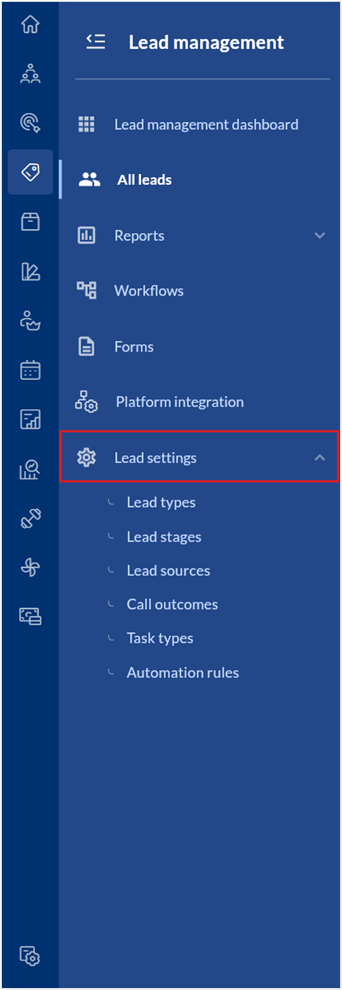
A list of all opportunity types are displayed.
To create a new opportunity type,
Click Add opportunity type.
Enter the Name, Code, and Description.
Click Save.
To edit a opportunity type,
Hover over the specific opportunity type listing and click the edit icon.
Edit the Name, Code, or Description.
Set the opportunity type as active or inactive by using the toggle.
Click Save.