Configure task types
A task type in lead management refers to a predefined category of actions your team can assign, track, and complete as part of the lead nurturing process. Task types standardize how you manage follow-ups, reminders, communication, and bookings, helping your team stay organized and responsive.
At the organizational level, navigate to Lead Management > Lead Settings > Task types.
The page displays all created task types.
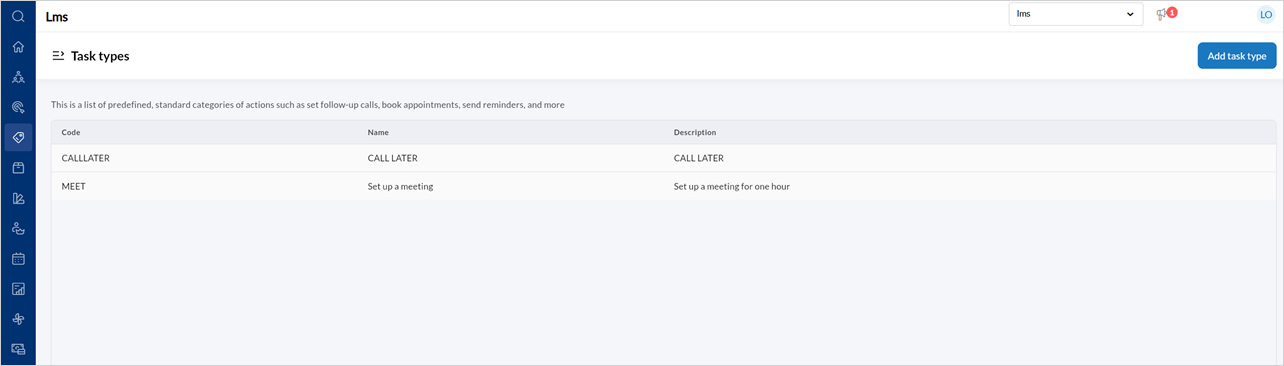
To create a Task type, click Add task type.
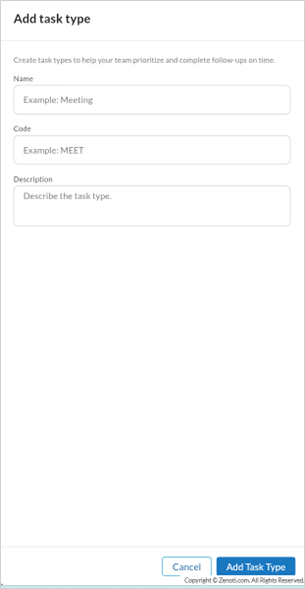
Enter the Name, Code, and Description.
Click Add task type.
To edit a task type,
Hover over the specific Task type listing and click the edit icon.
Edit the Name, Code, or Description.
Click Update task type.