Configure lead types
A lead type is a category you use to organize and manage potential customer inquiries or business opportunities. They are used in automation rules, lead creation, and reports. By categorizing leads into meaningful types, you can efficiently route, prioritize, and follow up on different kinds of requests or interests shown by potential clients.
For example, you may create lead types such as Consultation request, Membership inquiry, Package inquiry, Group booking inquiry, Service complaint, or Gift card purchase.
At the organizational level, navigate to Lead Management.
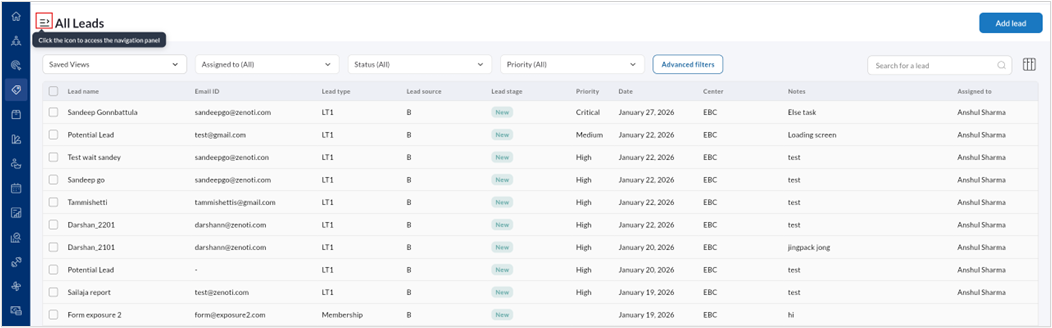
Click the navigation panel icon to expand Lead Management menu.
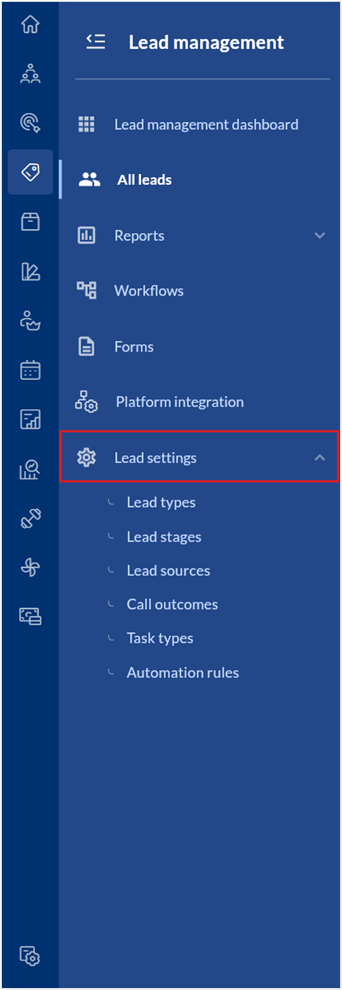
Select Lead settings.
Select Lead types.
A list of all lead types are displayed.
To create a new Lead type,
Click Add lead type.
Enter the Name, Code, and Description.
Click Save.
To edit a Lead type,
Hover over the specific Lead type listing and click the edit icon.
Edit the Name, Code, or Description.
Set the lead type as active or inactive by using the toggle.
Click Save.