Link an Existing Aveda Plus Rewards Membership to a Zenoti Guest
This article explains how admins and front desk operators can link an existing Aveda Plus Rewards membership to a guest profile in Zenoti. It covers linking at point of sale (POS) and from the guest profile, plus what happens when profiles are merged.
Overview
Linking a guest’s active Aveda Plus Rewards membership ensures their points accrue and redeem correctly when they buy eligible Aveda products through Zenoti.
Key terms
POS: Zenoti’s Point of Sale screen where invoices are created and closed
Aveda Membership ID: Unique identifier for a member’s Aveda Plus Rewards account
Prerequisites
Aveda Plus Rewards integration is enabled at the organization and center levels.
Eligible Aveda products are flagged in Master Data and have valid UPCs.
You have admin or front desk operator role permissions.
Things to know
You can only link active Aveda Plus memberships.
When merging two guest profiles that both have Aveda memberships, one ID is randomly selected and retained for the merged profile. If only one profile has a membership, that ID is retained.
Method 1: Link via POS
Click on Appointments on the left-side panel on Zenoti.
Launch the POS and search for the guest by name or number.

Click Link with Aveda.
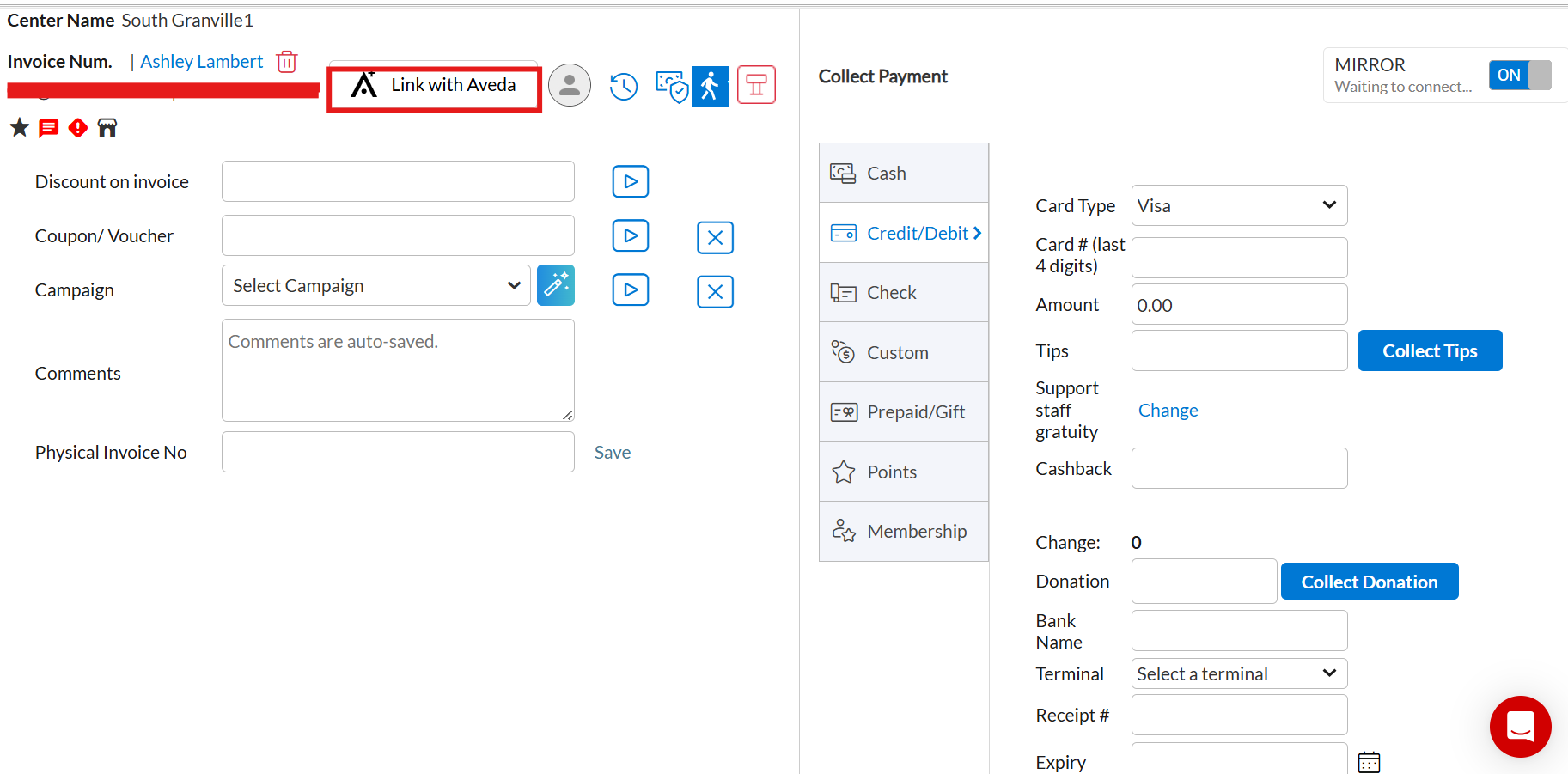
In the pop-up, select Link by ID/Email to search by Aveda Membership ID or registered email, or select Link by Name to search by the guest's first and last name.
Note
The results list appears only when searching by name.
Click Link now. The membership ID appears in the guest record.
Method 2: Link from guest profile
Go to Guests > Manage Guests and click on the guest's name.
On the General tab, click the link icon next to Aveda Membership ID.
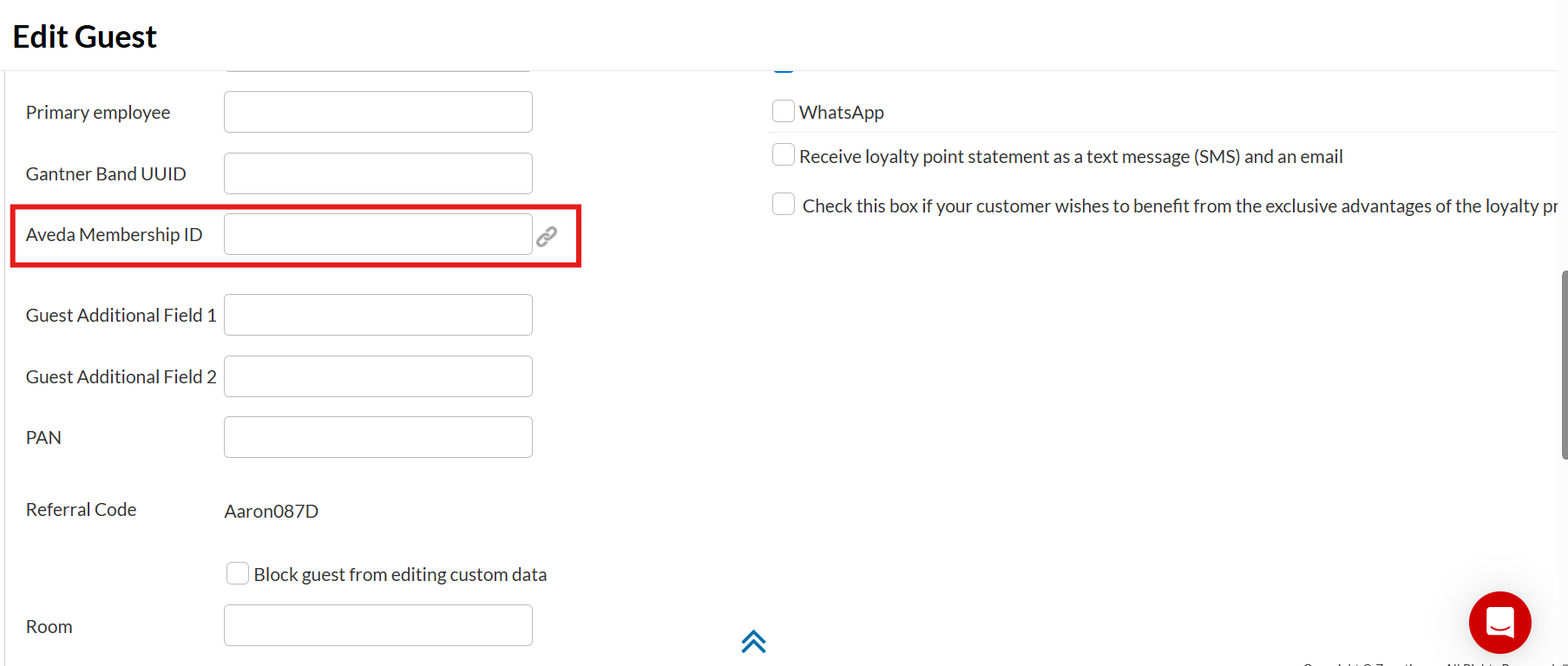
Select Link by ID/Email and enter the Aveda Membership ID or registered email, or select Link by Name and enter the name associated with their Aveda Plus Rewards account and select the correct guest from the results.
Note
The results list appears only when searching by name.
Click Link now.
Note
If a guest’s Aveda Plus Rewards account is dormant, it can still be linked to their Zenoti guest profile using their Aveda Membership ID. The linking procedure is the same as for active accounts.