Configure Aveda Plus Rewards Integration in Zenoti (Organization and center)
By following a few configuration steps, you can activate the loyalty integration at both the organization and center levels, identify eligible products, and prepare your team to enroll new members or link existing guest accounts.
Key terms
Aveda Plus Rewards Integration: The link between Zenoti and Aveda’s loyalty program
Location ID/SAP ID: Aveda-provided identifier used to verify a center
UPC (Universal Product Code): Required to identify Aveda products for accrual/redemption
Prerequisites
Admin access at organization and center levels
Location ID/SAP ID from Aveda for each center
Product UPCs available for Aveda items
Enable integration at the organization level
At the organization level, go to Configurations.
Open the Loyalty Program section.
Turn on the Enable Aveda Plus Loyalty Integration toggle.
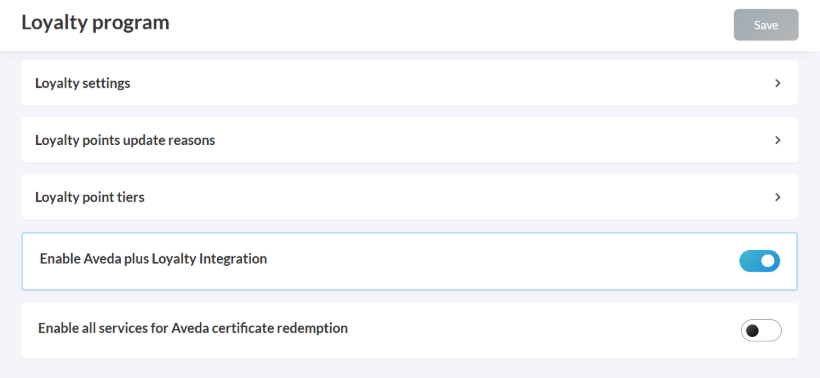
Click Save.
Enable integration at the center level
At the center level, open Configurations.
Go to Integrations > Integration settings.
In Integrations, select LP Integration and expand Configuration.
Turn on the Active toggle.
Enter the Location ID/SAP ID provided by Aveda.
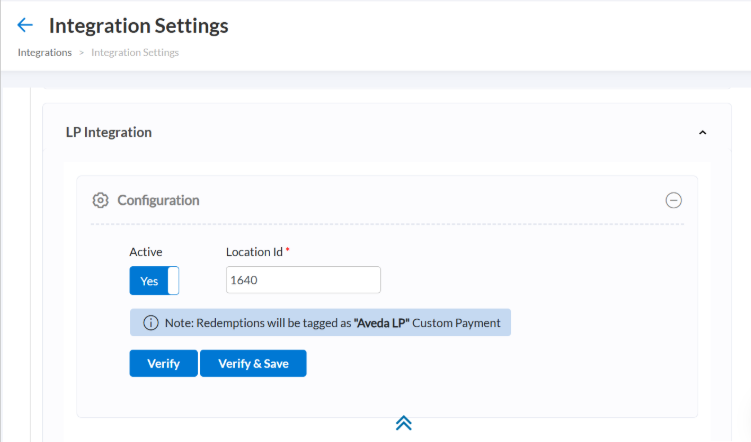
Click Verify to validate the ID.
After validation, click Verify & Save.
Note
If you are unable to find LP Integration settings at the organization or center level, contact your Zenoti representative.
Mark products as Aveda products
At the organization level, go to Master Data from the left panel.
Click Products.
On Manage Products, select the product to update.
In the General tab, select the This is an Aveda product checkbox.
Enter the product UPC (Universal Product Code).
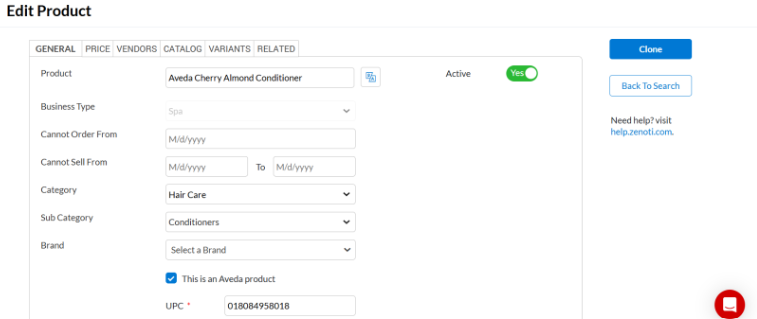
Scroll to the bottom and click Save.
Once your products are marked as Aveda products, you are ready to link or enroll guests to Aveda Plus Rewards so they can start earning and redeeming points on qualifying purchases.
Enable all services for Aveda certificate redemption (Optional)
At the organization level, search for Loyalty Program in Configuration.
Turn on the Enable All Services for Aveda Certificate Redemption toggle.
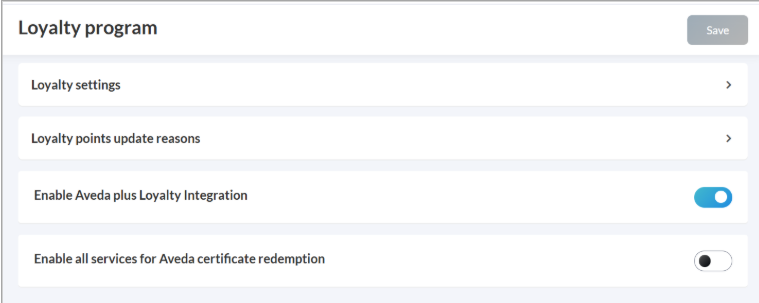
Click Save.
When this setting is on:
The This is an Aveda service flag is automatically enabled for all services in the organization.
Newly created services inherit this flag by default.
You can still turn off the flag for individual services, if required.
Include tax in Aveda LP redemption (Optional)
At the organization level:
Search for Loyalty Program in Configuration.
The Include tax in Aveda LP redemption toggle is on by default. You can keep it on or turn it off depending on your organization policies.
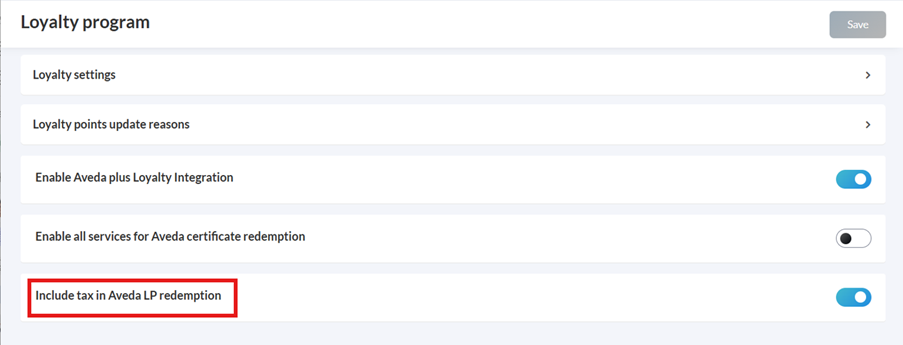
Click Save in case you turn this toggle off.
When this setting is on:
Points are applied based on the eligible Aveda product price including applicable tax.
Guests can redeem points for the full price of the eligible Aveda product, including applicable tax.
When this setting is off:
Loyalty points are applied only on the pre-tax amount.
Tax is excluded from the redemption value.